Track time and control project budgets
Log hours against tasks, monitor budgets in real time and analyse profitability per project.
Try Holded free for 14 days. No credit card required.
Over 200,000 businesses trust Holded


Time logging
Know exactly where your team time goes
Start a timer or log hours manually against any task. See time breakdowns by project, task or team member.
One-click timer
Start and stop a timer on any task. Hours are logged automatically with no manual entry needed.
Manual entry
Log hours after the fact. Add time for meetings, admin work or anything not tracked with the timer.
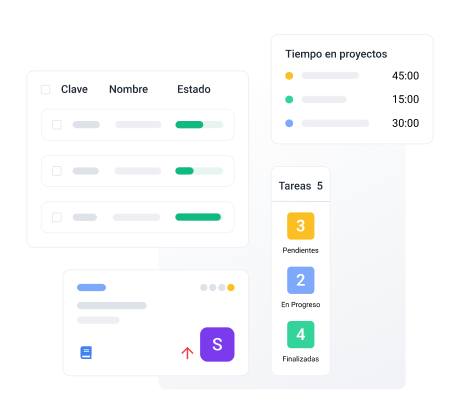
Budget monitoring
Stay on budget with real-time tracking
Set budgets per project and track spending against them. Get alerts before you go over.
Budget vs actual
Compare planned budget against actual hours and costs. Spot overruns before they become problems.
Profitability analysis
See which projects are profitable and which are draining resources. Make data-driven decisions.
Everything you need for project time tracking
Built-in timer
Start, pause and stop timers on any task.
Manual time entry
Log hours manually when you prefer.
Time reports
Detailed reports by project, task or person.
Billable hours
Mark hours as billable or non-billable.
Profitability analysis
See profit margins per project in real time.
Export data
Export time data for invoicing or payroll.
“Knowing exactly how many hours each project takes has helped us price our services much more accurately.”
Inés V.
CEO, consulting firm
Frequently asked questions
Yes. Start a timer on any task and it logs hours automatically. Pause and resume as needed.
Yes. Add time entries manually with date, hours and description.
Yes. Set a budget in hours or currency and track spending against it in real time.
Yes. See profit margins per project based on logged hours and costs.
Yes. Export time reports for invoicing, payroll or client reporting.